


Setup VS Code For C Programing

Step 1 : "Downloading and Installing VS Code
>Open your favorite browser and search "VS Code Download"

>Open The First Website

>Now Downloading regarding Your Operating System
If You are using Windows So Click ON Windows And If You Are Using Linux So Click On Linux
And If You are using mac os so click on mac
And then your downloading will start
>After Downloading Open The Setup

>In Windows Open The setup And accept the agreement and install as a installation of standard Software in Windows
>After Installation of VS Code in your system
Installing Compiler For C
>Open Your Browser And Search Mingw gnu for Windows
open the first Website Of source fog and download the gnu installer for windows
or

>After Downloading Open Setup
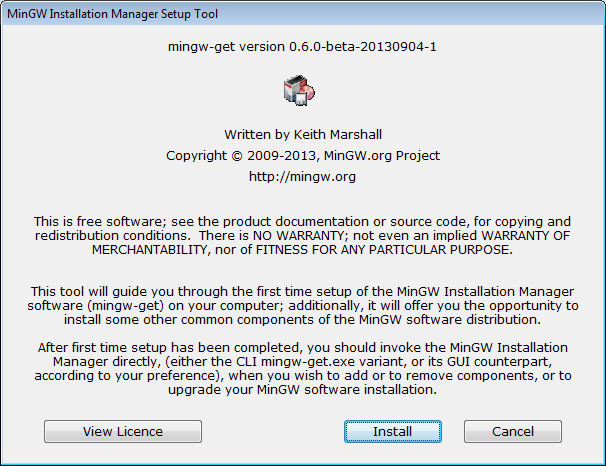
>Click On Install
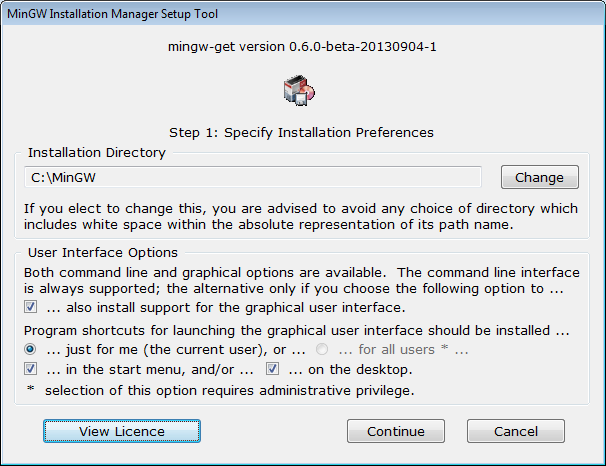
>Click On Continue
and it will start downloading installer files it will take 2 to 3 minutes maximum
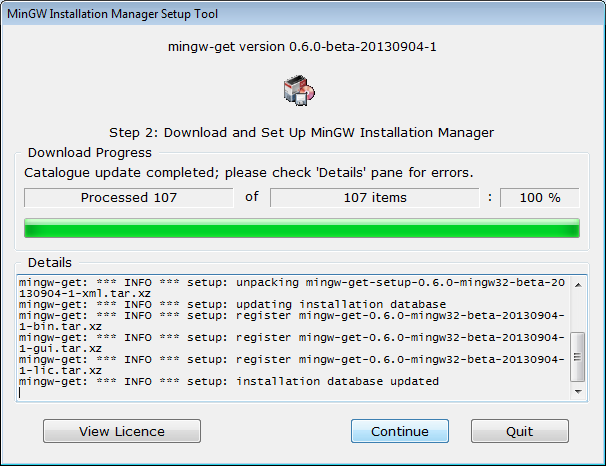
>Again Click on Continue
then it will open the next window
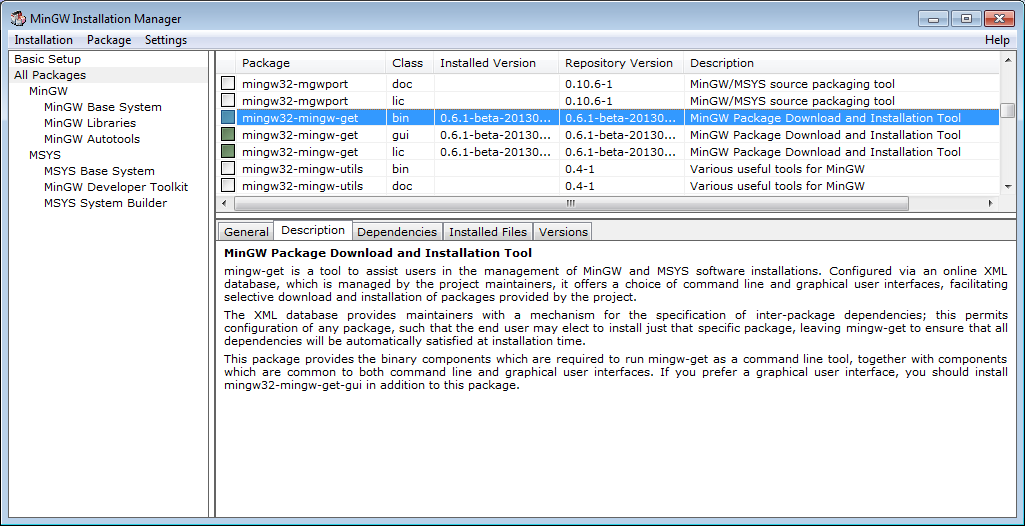
And Click On Installation And Click on Apply Changes
it will take 10 to 20 minutes depending upon Your Internet Speed
it will take 10 to 20 minutes depending upon Your Internet Speed
After Downloading It Will Start Extracting Them
After Completer Installation Close This .
After Completer Installation Close This .
>>Adding Environment System Variables
>Goto Windows Search Bar

>And Search Here "Edit system environment variables

>And Open Edit system environment variables

>After Opening It Click On system variables


>After Click On Edit Click On New And Paste The address of Mingw gcc's bin folder standard location mingw's bin folder is C:\MinGW\bin in your case cheak out


>Installing Important Extensions In VS CODE
>Extension pack for c/c++
The extension from microsoft is important for C programing it correct you code it indicates syntax errors in you code on time compiling code and more and more.

>Code runner by jun hun
one of most important extension for programmer and coders it run your code by clicking just on run icon in your vs code editor without it you have to run this code by giving commands in terminal like gcc <filename> for compiling and for running code ./a.exe
>>important settings for code runner jun hun
>open setting of vs code
>find code runner configuration
>and mark the run code in terminal
>and mark whether to save before run code

Now your all installation is done for sure and if you have any issue to understanding you have to watch this video tutorial
Further you can comment Thanks .....


0 Comments